

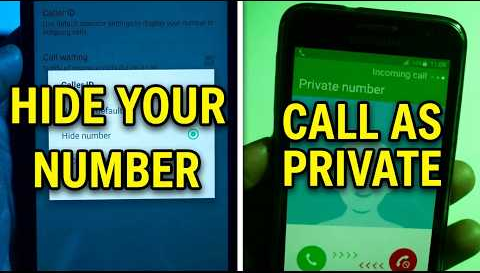
Have you been getting a lot of calls lately from a “Private Number” or “Unknown Caller”? This situation makes us curious, concerned, or even annoyed. When you see a private number calling, there’s no way to tell who it is; could it be a business, friend, telemarketer, or possibly a scam?
This mystery can be frustrating. Without knowing who’s calling, it’s hard to decide whether to pick up. So, let’s learn more about private number calls and how you can handle them confidently to stay in control of your calls.
What Does ‘Private Number’ Mean?

A “Private Number” means the caller has intentionally hidden their phone number so it doesn’t appear on your caller ID. Instead of the actual number, you’ll see “Private Number” or “Unknown Caller” on your screen.
Unknown number calling you? Here’s what you should do.
In short, if an unknown number calls you, you shouldn’t answer. This is especially true if you’re not expecting a call, and if the call is coming from a strange area or country code. But keep in mind, even if caller ID shows a local area code, that doesn’t mean the call is coming from someone local; they could be spoofing their phone number location.
If you do answer a call from an unknown number accidentally, the best course of action is to hang up immediately. If the call is legitimate, such as a call for a job interview, or from your doctor, for example, they can leave a message.
However, it’s essential to understand what options are available based on your country, mobile carrier, and the technology you’re using.
Fortunately, there are several methods to unmask and call back private numbers effectively.
Immediate Callback with *69:
Action: Dial *69 immediately after missing the call.
Result: Automatically attempts to redial the last number that called you.
Check Your Phone Logs:
Action: Review your phone’s call history.
Details: Look for entries marked as “Private” or “Unknown” to identify the call time and date.
Use Third-Party Apps:
Recommended Apps: TrueCaller, Hiya, or TrapCall.
One commonly discussed code is *#30#. Dialing *#30# may display the caller ID information of incoming calls if it’s hidden. Unfortunately, this code is more applicable in certain regions and doesn’t work universally. In some cases, it might need the cooperation of your mobile network provider, as network carriers can choose whether or not to support this feature.
For example, in the United States and several other countries, network providers might offer *67 or similar codes that help manage caller ID settings for outgoing calls but not necessarily for incoming calls.
